Speed
In GPT Image 2.6
OpenAI reports generation running 50% quicker than its previous version.
On AIGPTImage today
2.6 Flare is the default here. You can request up to four outputs per run, depending on your plan.
RELEASED BY OPENAI · NOVEMBER 4, 2026
OpenAI shipped a quicker image model with animated output and new developer controls. The generator below now runs GPT Image 2.6, and this page shows which of the new features you can use here and which ones are only in OpenAI's own products.
Create images from text or a reference photo. Sign in to generate images and keep your results in your account history.
Be specific so AI better understands your direction
Reference images help match your expected results
Sign in to unlock private generation history and 20 starter credits.
Click any template below to auto-fill the prompt
Ultra-detailed 3D plush cartoon character, inspired by classic animated TV style, standing in center frame, full body visible. Character designed as a soft toy with realistic fluffy fur texture, smooth rounded shapes, vibrant saturated colors, big expressive eyes, cute proportions, Using the image of [Doraemon's] character, [Nobita carries Doraemon on his back]. High-resolution Pixar-style 3D rendering, soft studio lighting, subtle rim light, clean gradient background (blue tone), cinematic lighting, depth of field, highly detailed fur strands, soft shadows under feet, glossy nose, toy-like material, ultra sharp 8K render. Centered composition, minimal background, character facing camera, symmetrical pose, adorable expression.
Five animated loops and one character carried through three edits, all generated with Images 2.6. We converted the original GIFs to a lighter format for this page.
These GIFs were made with GPT Image 2.6 in ChatGPT, with the prompts shown below. You can also make GIFs in the generator on this page.
In ChatGPT, open your prompt with "Create a GIF" to get motion. In our generator, choose GIF as the output format instead. Prompts are shown exactly as they were used.

Create a GIF. Create a single animation sprite sheet for a seamless looping GIF. A cheerful round orange fox mascot wearing a small teal scarf stands facing the viewer. The sequence: looks up, notices the viewer, gives a big wave, hops once with joy, lands, then settles back into its starting pose. Soft 3D toy-like style, clean studio lighting, plain warm cream background. Exactly 6 sequential frames in a precise 3-column by 2-row grid, read left to right, then top to bottom. Every panel has identical dimensions. Fixed camera, same character, same proportions, same background. Clear incremental motion; the sixth frame transitions smoothly back to the first. No text, logos, panel labels, borders, or gutters.

Create a GIF. Create a single animation sprite sheet for a seamless looping GIF. A premium unbranded matte-black insulated bottle stands on a wet dark stone surface. The sequence: a water droplet falls from above, hits the surface beside the bottle, ripples spread outward, small droplets rise and catch the light, then the surface calms again. The bottle stays perfectly still and identical in every frame. Luxury product photography, dramatic rim lighting, dark teal background. Exactly 6 sequential frames in a precise 3-column by 2-row grid, read left to right, then top to bottom. Every panel has identical dimensions. Fixed camera. Clear incremental motion; the sixth frame transitions smoothly back to the first. No text, logos, panel labels, borders, or gutters.

Create a GIF. Create a single animation sprite sheet for a seamless looping GIF. A tiny sleepy penguin in an oversized knitted sweater sits at a small table. The sequence: dozes off with heavy eyelids, a steaming cup of coffee slides into view, one eye opens, it takes a sip, its eyes go wide with sparkles, then it slowly starts dozing again. Expressive cute 3D animation style, soft morning light, cozy pastel kitchen background. Exactly 6 sequential frames in a precise 3-column by 2-row grid, read left to right, then top to bottom. Every panel has identical dimensions. Fixed camera, same character, table, and background. Clear incremental facial motion; the sixth frame transitions smoothly back to the first. No text, logos, speech bubbles, panel labels, borders, or gutters.
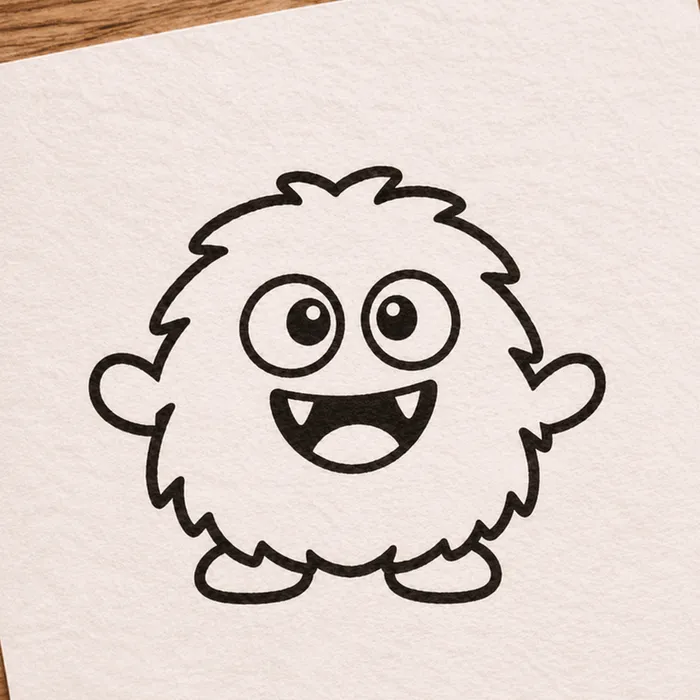
Starting sketch (AI-generated too)

After animation
Create a GIF. Using the attached hand-drawn sketch as the character design, create a single animation sprite sheet for a seamless looping GIF. Keep the character's shape, proportions, and hand-drawn pen line quality, and keep the lined paper background. The sequence: the character blinks, looks left, looks right, does a small happy jump, lands, then returns to its starting pose. Exactly 6 sequential frames in a precise 3-column by 2-row grid, read left to right, then top to bottom. Every panel has identical dimensions. Fixed camera, same character, same background. Clear incremental motion; the sixth frame transitions smoothly back to the first. No added text, panel labels, borders, or gutters.

Create a GIF. Create a single animation sprite sheet for a seamless looping walk cycle. A small pixel-art knight with a blue cape and a round shield walks to the right, seen from the side. Crisp 32-bit pixel art with a limited color palette and a plain light gray background. Exactly 8 sequential frames in a precise 4-column by 2-row grid, read left to right, then top to bottom. Every panel has identical dimensions. The character stays centered in each panel at the same scale, with feet on the same baseline. Clear leg, arm, and cape motion; the eighth frame transitions smoothly back to the first. No text, panel labels, borders, or gutters.
All three came from one ChatGPT conversation. Her face, hair, glasses and jacket carry over, but look closely at the last image: the scar and the fox patch have moved.
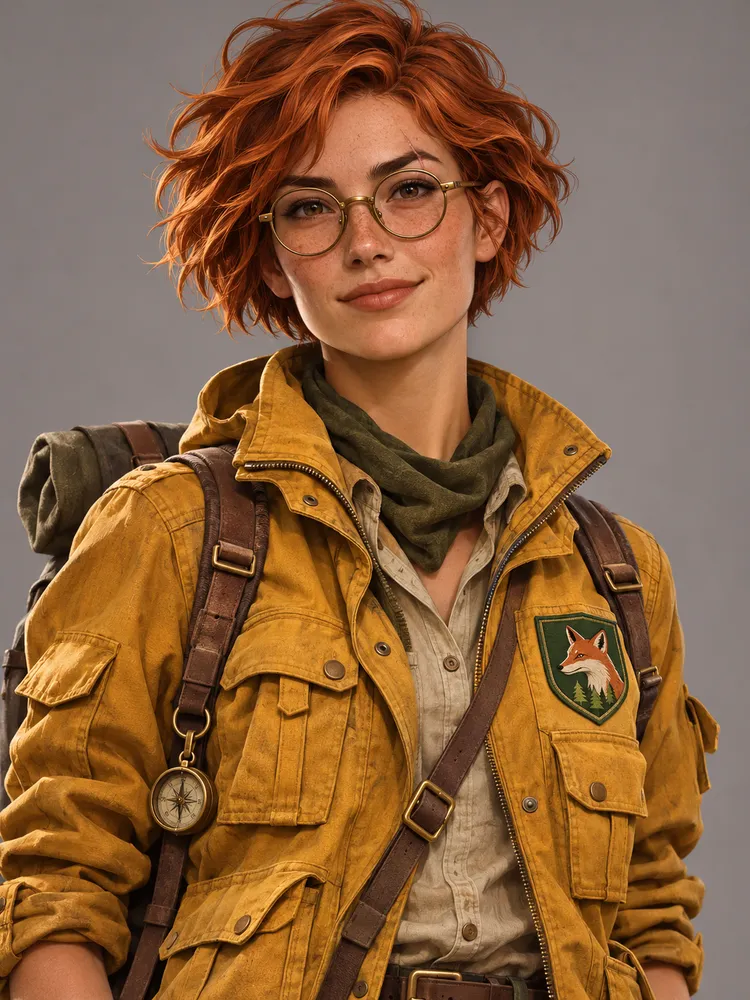
A portrait of a young woman explorer with short copper hair, round brass glasses, a small scar on her left eyebrow, and a mustard-yellow utility jacket with a green fox patch on the chest. Semi-realistic digital illustration, neutral gray background, waist-up view.
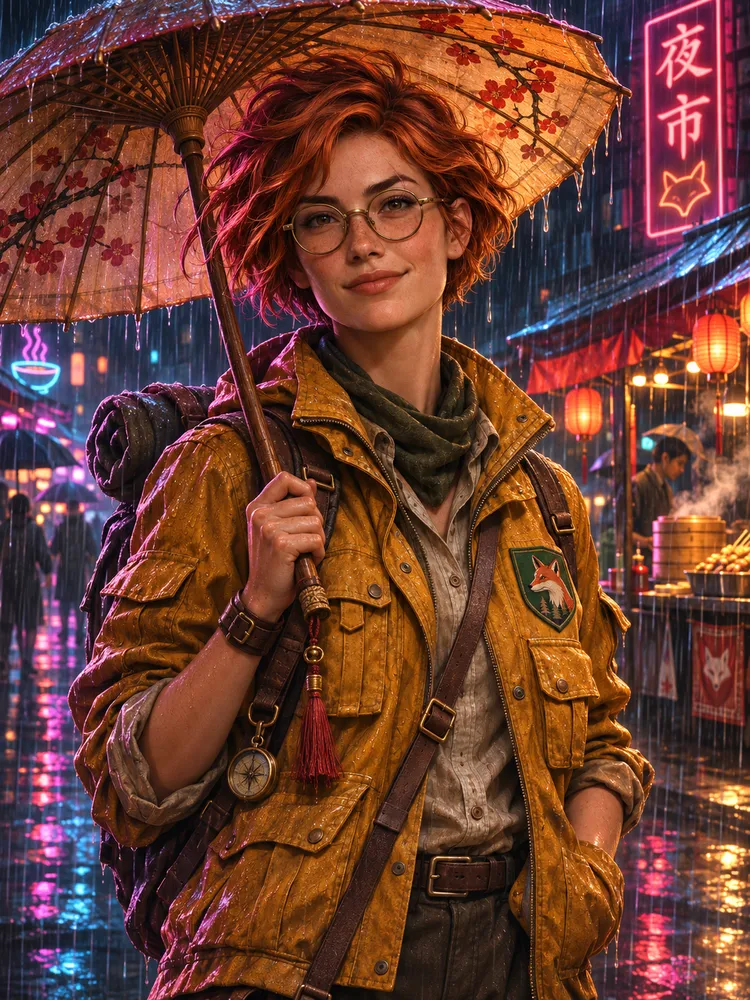
Keep the same character exactly: same face, hair, glasses, scar, jacket, and fox patch. Place her in a rainy neon-lit night market, holding a paper umbrella. Change only the setting, pose, and lighting.
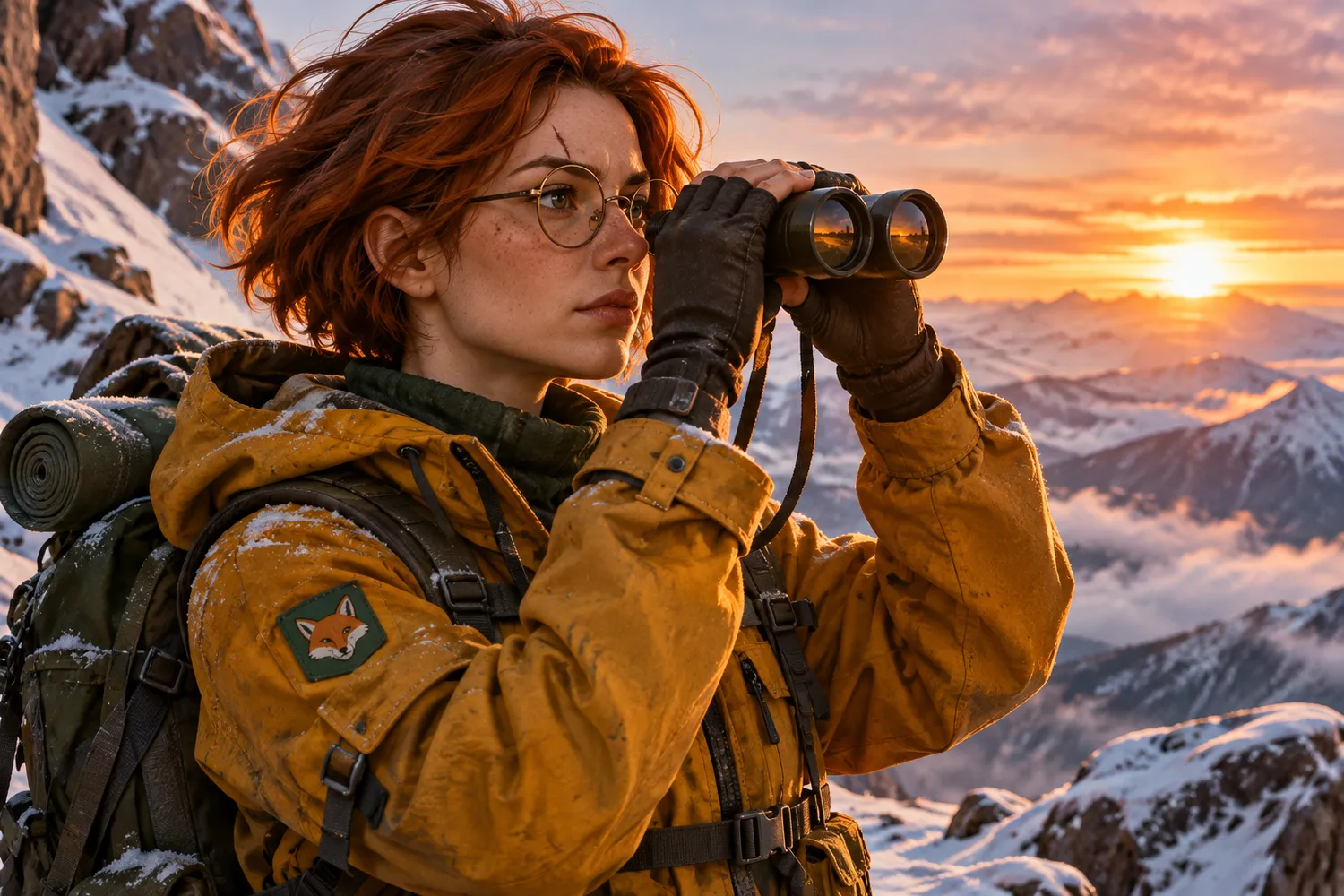
Keep the same character exactly: same face, hair, glasses, scar, jacket, and fox patch. Place her on a snowy mountain ridge at sunrise, looking through binoculars. Change only the setting, pose, and lighting.
The left side of every row comes from the OpenAI announcement. The right side is what our generator supports today, including the things it cannot do.
In GPT Image 2.6
OpenAI reports generation running 50% quicker than its previous version.
On AIGPTImage today
2.6 Flare is the default here. You can request up to four outputs per run, depending on your plan.
In GPT Image 2.6
GIFs are a new output type, aimed at uses such as mascots, memes and storyboards.
On AIGPTImage today
Choose GIF as the output format to get a looping animation with 2 to 16 frames, about 512 px, from a text prompt. For longer clips, our Seedance video generator can animate a still frame.
In GPT Image 2.6
Characters, products and brand details are meant to hold steadier from one edit to the next.
On AIGPTImage today
You can attach up to 16 reference images and say what must stay fixed. 2.6 Sunburst is built for consistent edits, but still check small details on each round.
In GPT Image 2.6
Image markup, previously a ChatGPT feature, now reaches the API too.
On AIGPTImage today
There is no markup tool here. Describe the area in words, such as "only the label on the left bottle".
In GPT Image 2.6
Designs can be exported as SVG.
On AIGPTImage today
No vector export. Downloads are raster images, available at 1K, 2K or 4K depending on your plan.
In GPT Image 2.6
A new API setting called complexity decides how much planning goes into a request, separately from quality.
On AIGPTImage today
There is no equivalent setting. You choose the aspect ratio, resolution and number of outputs.
Both 2.6 models are available in the generator above. Start from the job in front of you.
| If you need | Start with | Why |
|---|---|---|
| Rough drafts in quick succession | Flare | At low quality, OpenAI quotes results in as little as six seconds. |
| Posters and product visuals | Flare | OpenAI calls out better layouts for this kind of professional work. |
| Fine detail and precision | Sunburst | This is the model OpenAI positions for higher-quality output. |
| Many edits of one subject | Sunburst | Its stronger consistency across edits applies at medium or high quality. |
For routine edits, OpenAI points to a low complexity setting. Crowded or heavily constrained scenes call for a medium or high one. ChatGPT and Codex offer Images 2.6 on every subscription tier.
On this site, Flare and Sunburst cost the same credits. The 2.5 versions are still available and cost less.
These were written for the generator on this page. Each one puts a clear demand on composition or on keeping details fixed, so weak spots are easy to see.
Portrait poster for a small neighborhood jazz night. Large serif headline "Blue Hour Sessions" across the upper third. Below it, an upright bass leaning against a brick wall under one warm streetlamp. Footer text "Fridays at 8" centered near the bottom edge. Deep indigo and amber palette, wide margins, no other text.
Use this promptCatalog photograph of a speckled white ceramic coffee dripper on a matching mug, shot from a slight three-quarter angle. Pale sage backdrop, one soft light from the left, a gentle shadow to the right. Keep the glaze speckles crisp and the proportions realistic. No branding, no props, no text.
Use this promptOne image laid out as a four-panel storyboard, two panels over two, with thin white gaps. A folded paper boat on a rainy city gutter: it sets off, spins in a small whirlpool, slips under a fallen leaf, then reaches a wide puddle reflecting neon signs. Same boat, same watercolor style and same camera height in every panel. No captions or numbers.
Use this promptEach prompt returns a still image. The storyboard is one picture with four panels, not an animation.
Yes. The generator defaults to GPT Image 2.6 Flare, and you can also choose 2.6 Sunburst. Both handle text-to-image and image-to-image.
Yes. 2.5 Flare and 2.5 Sunburst stay in the model list and cost fewer credits: 6 at 1K, 10 at 2K and 16 at 4K.
GIFs, yes: with GPT Image 2.6, choose GIF as the output format. GIFs are about 512 px (512×512 for 1:1), text-to-image only, and cost 10 credits for up to 8 frames or 20 credits for 9 to 16 frames. SVG export is not available; downloads are raster files.
Start with Flare for drafts, posters and product shots. Choose Sunburst for detailed work and repeated edits of one subject. On this site they cost the same.
Each GPT Image 2.6 image costs 10 credits at 1K, 20 at 2K and 34 at 4K. Image-to-image includes one reference image; each extra one adds 2 credits. A transparent background at 1K costs nothing extra. Higher resolutions can depend on your plan.
No. AIGPTImage is an independent product. OpenAI does not run or endorse it.